How AI Can Speed Up Strategy Reviews and Performance Analysis
 Scott O'Reilly
May 26, 2026
Scott O'Reilly
May 26, 2026

Teams spend a lot of time preparing for strategy reviews: pulling reports, checking KPIs, digging into trends, and trying to spot what deserves attention before the meeting starts.
Spider Impact’s built-in AI helps speed up that process.
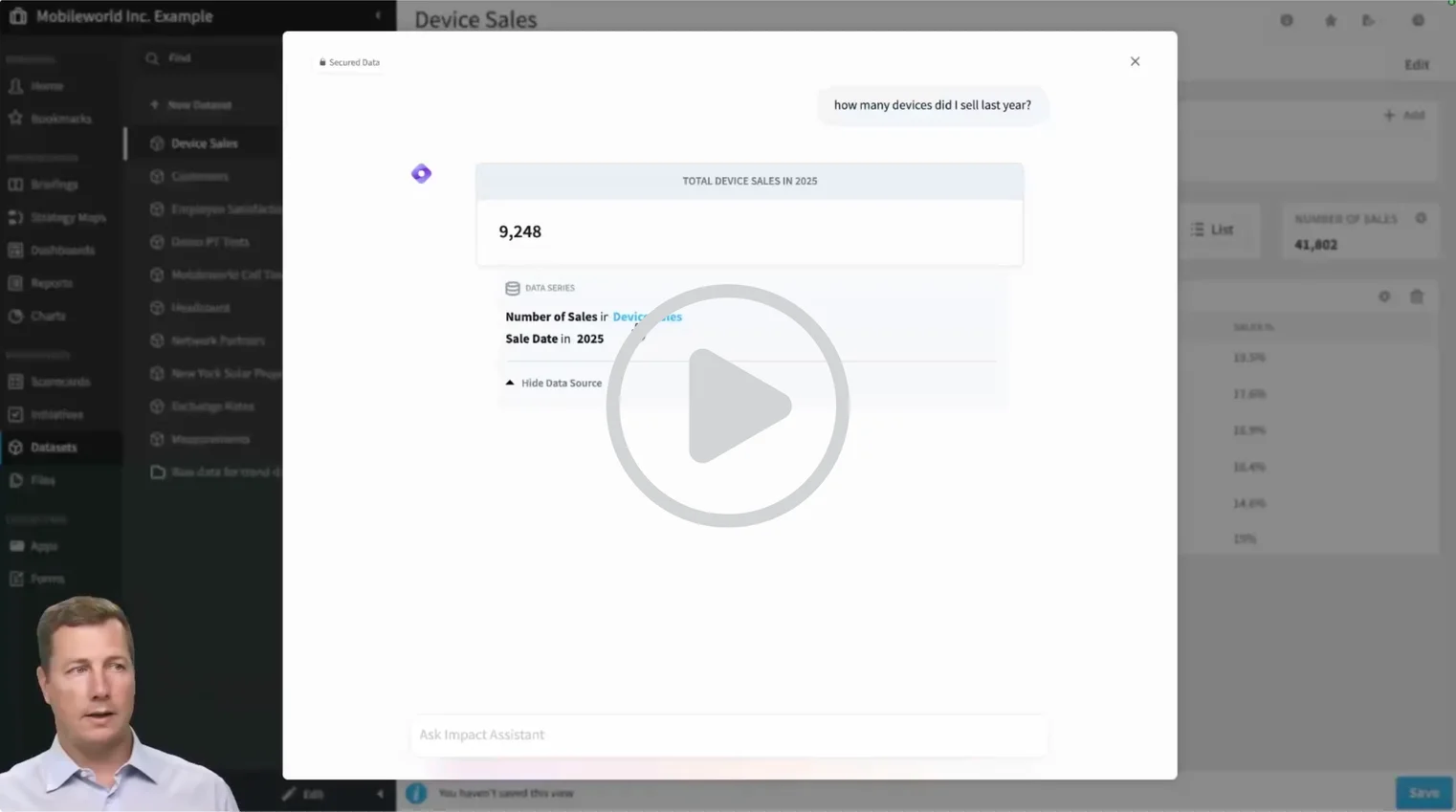
Impact Assistant gives teams a faster way to analyze performance data, uncover trends, and get answers inside Spider Impact — all using plain language.
Whether you're reviewing KPIs, preparing leadership updates, or exploring trends across teams, Impact Assistant helps you get to the important information faster.
▶ Skip Ahead and See It in Action
A Faster Way to Review Strategy and Performance Data
Strategy reviews often start with questions like:
- Which KPIs are trending off target?
- Where are we seeing the strongest performance this quarter?
- What changed since last month?
- Which teams or regions need attention before leadership meets?
Impact Assistant helps answer those questions instantly — without building reports or digging through dashboards manually.
Ask Questions in Plain Language
Instead of filtering datasets or configuring charts, just ask.
Try questions like:
- “How many devices did we sell last year?”
- “Break this down by month.”
- “Show me our top five performers by region.”
- “What changed from Q1 to Q2?”
Impact Assistant translates your question into a real query against your Spider Impact data and returns:
- Line charts
- Bar charts
- Pie charts
- Single-value answers
It also helps with follow-up questions like:
“Now show me just Q3.”
“Compare that to last year.”
When you find something worth sharing, charts can be saved directly into Spider Impact.
Surface Insights Before the Meeting
Not every strategy review starts with a specific question.
Sometimes you just need to know what deserves attention.
Ask:
“What interesting insights can I find in this data?”
Impact Assistant can suggest trends, outliers, and useful breakdowns worth exploring — giving teams a strong starting point for analysis before a review or executive update.
It’s especially useful for quick ad hoc analysis when you need answers fast.
Get Product Help Without Leaving the Platform
Impact Assistant also includes Spider Impact’s support documentation.
That means users can ask:
- “How do I share a form publicly?”
- “Where do I update admin settings for this report?”
- “How do I add a new KPI?”
…and get step-by-step answers with links to the relevant support articles — right inside the platform.
Built Into Spider Impact
Impact Assistant is built directly into Spider Impact.
There’s no separate tool and no switching tabs.
Because it connects to your:
- Data
- Permissions
- Reports
- Support documentation
…every answer stays grounded in your organization’s actual environment.
It’s part of Spider Impact’s broader AI automated insights capabilities — designed to help organizations spend less time gathering information and more time acting on it.
Want the technical details?
Read more about the AI architecture behind Spider Impact.
See How It Works
The fastest way to understand Impact Assistant is to watch it answer real questions.
▶ Watch the demo in under 5 minutes to see how teams can analyze data faster, surface insights, and prepare for strategy conversations with less manual work.
Ready to explore it in your own environment? Current Spider Impact users on the latest version can click the Impact Assistant icon inside Spider Impact to start using it. View this guide for more details.
If you're not a customer and would like to learn more, you can start your free trial or schedule a 1:1 demo for a guided walkthrough.
Frequently Asked Questions
What is Impact Assistant?
Impact Assistant is Spider Impact's built-in AI assistant. It lets users query datasets in plain language, surface insights automatically, and get instant answers to how-to questions about the software — all without leaving the platform.
What data can Impact Assistant access?
Impact Assistant currently works with datasets inside Spider Impact. It respects the permissions you already have, so users only see data they're authorized to access.
Do I need technical skills to use Impact Assistant?
No. Impact Assistant is designed for plain language questions — no SQL, no technical formatting required. Just ask the way you'd ask a colleague.


Demo then Free Trial
Schedule a personalized tour of Spider Impact, then start your free 30-day trial with your data.