From Spreadsheet Chaos to System of Record: How to Centralize Your Organization's Critical Data
Most organizations are sitting on a data problem they don't fully see yet. Incidents get logged in one spreadsheet. Assets are tracked in another. Compliance cases live in a shared drive no one fully trusts. Projects get managed through email threads and personal trackers that disappear when someone leaves.
The result isn't just inefficiency — it's data chaos. Leadership has no reliable visibility. Reports take days to compile. And the moment someone asks "what's the current status of X?", the answer requires hunting across five different places and hoping nothing's been overwritten.
A system of record solves this by giving your organization one authoritative source of truth for each type of critical data — with built-in governance, real-time reporting, and the structure to actually trust what you're seeing.
In this post, we'll cover what to look for, how to solve for these challenges, and why now is the time to take action.
What Is a System of Record — and Why Do Spreadsheets Fail as One?
A system of record is the definitive source for a specific category of organizational data. When an incident is logged, an asset is tracked, or a compliance case is opened, a system of record captures that data with structure, enforces validation at the point of entry, and makes it immediately available for reporting and oversight.
Spreadsheets, shared drives, and email threads aren't systems of record — they're data storage without governance. They can't enforce what gets entered. They don't automatically route approvals or trigger notifications. They don't give leadership a live dashboard. They offer no audit trail when something goes wrong. And when the person who built and maintained them leaves the organization, the logic behind the formulas, the meaning behind the color-coding, and the unspoken rules about which fields actually matter go with them.
This is a more widespread problem than most leaders realize. The Work Institute's 2025 Retention Report found that 40% of employee turnover occurs in a worker's first year, and every departure takes the institutional context behind those spreadsheets with it. Gallup estimates replacement costs at 200% of salary for managers and 80% for technical professionals — but that figure doesn't account for the organizational knowledge lost with every departure or the compounding cost of rebuilding institutional understanding from scratch.
The deeper issue is strategic. Around 70% of strategic plans fail — often because leadership can't see whether the operational processes supporting those plans are healthy, broken, or even documented. When your most important operational data lives in disconnected spreadsheets, strategic decision-making becomes guesswork. You're planning based on what you hope is happening, not what you can verify.
The good news is that the fix doesn't require a massive ERP implementation or a year-long IT project. For most organizations, the path from spreadsheet chaos to governed system of record is faster and more accessible than they expect.
Where Organizations Lose Data Control
The spreadsheet problem isn't isolated to one department. It shows up everywhere critical operational data is collected and tracked — and each instance creates its own category of risk.
Incidents and Compliance Cases
When incidents are logged in a shared spreadsheet or emailed to a compliance inbox, there's no audit trail, no structured workflow, and no reliable way to report on trends over time. Required fields go unfilled because there's nothing stopping someone from leaving them blank. Duplicate records accumulate because there's no system to flag them. And when regulators ask for documentation, the compliance team spends days manually compiling records that should have been instantly available.
The reputational and financial consequences of compliance failures are significant. But so is the day-to-day cost: compliance teams spending the majority of their time on data management rather than actual compliance work.
Asset and Inventory Management
IT, facilities, and operations teams often manage physical assets across multiple spreadsheets: one for hardware inventory, one for maintenance schedules, one for location tracking. None of them talk to each other, none are updated in real time, and reconciling them is a project in itself. When a piece of equipment needs maintenance, someone has to manually cross-reference three documents to understand its history. When leadership asks about asset utilization or replacement planning, the answer requires hours of manual work.
The hidden cost here isn't just administrative time — it's the strategic decisions that get made with incomplete information. Capital planning, vendor contracts, and facility decisions all depend on asset data that most organizations can't confidently report on.
Project and Initiative Intake
Without a structured intake system, project requests arrive through email, Slack, hallway conversations, and informal requests that never get formally recorded. Leadership can't see the full pipeline of what's being worked on. Teams can't enforce required information upfront, so projects launch without proper scoping. Approvals happen outside any trackable system — a reply to an email thread, a comment in a Slack channel — and there's no way to report on approval timelines, bottlenecks, or patterns across the organization.
This is particularly damaging for strategic alignment. When leadership can't see the full landscape of initiatives in flight, resource conflicts go undetected and strategic priorities compete with one another invisibly until something breaks.
Operational Data from the Field
Field teams collecting data on mobile devices often work around the lack of a real system — photos get texted, forms get filled out on paper, and data entry happens hours or days after the fact, if at all. By the time the data reaches a central location, it's already out of date and its accuracy is impossible to verify.
In industries where field data drives billing, safety compliance, or maintenance decisions, the gap between what's happening in the field and what's recorded in headquarters isn't just inefficient — it's a liability.
The Real Cost of Data Fragmentation
Beyond the operational friction, fragmented data creates a specific kind of strategic blindness that's hard to quantify but easy to feel. Leadership can no longer afford to operate in a vacuum, and yet that's exactly what spreadsheet-based data management forces.
When there's no single source of truth, every conversation about operational performance starts with a debate about whose numbers are right. That debate consumes time, erodes trust between departments, and delays the actual decision that needed to be made. Research shows 90% of leaders understand the importance of real-time insights and 84% consider real-time course corrections essential — but real-time insight is impossible when the underlying data is scattered across personal drives and department-owned spreadsheets.
Communication breakdowns don't just slow teams down — they break trust, derail strategy, and cost money. The organizations that solve this problem don't do it by asking everyone to update their spreadsheets more diligently. They do it by replacing the spreadsheet with a governed system that makes good data the path of least resistance.
What a Real System of Record Provides
A governed system of record isn't just a database — it's a complete operational layer that includes structured data capture, automated workflows, and built-in reporting. Here's what that looks like in practice:
Structured Data Capture With Validation
Data collected through forms is validated at the point of entry — required fields, format rules, dropdown constraints — so leadership can trust what they're seeing without manually cleaning it first. Bad data doesn't enter the system in the first place.
Automated Workflows and Approvals
When data enters the system, it triggers the right next step automatically. Approval requests route to the right people. Notifications go out without anyone manually following up. Escalation rules fire when deadlines are missed. The process runs on its own, and every step is logged.
Enterprise-Grade Governance
Role-based permissions ensure the right people see the right data — and only that data. Audit trails capture every change, who made it, and when. Compliance teams get the documentation they need without a manual compilation process.
Real-Time Dashboards and Reports
Consider what it currently takes to answer a simple question: how many compliance incidents were logged last quarter, and how many are still open? In a spreadsheet environment, that's an hour of filtering, cross-referencing, and hoping the data is current. In a governed system of record, it's a dashboard that updates itself every time a record is submitted or modified — accessible to anyone with the right permissions, without anyone having to build or refresh it.
Strategic Alignment
When operational data connects directly to your KPIs and strategic scorecards, the gap between daily execution and organizational goals closes. Operational systems of record feed the performance visibility that makes strategy execution possible rather than aspirational.
Common Use Cases: What Organizations Build as Systems of Record
The value of a governed system of record shows up differently across departments — but the underlying need is the same: structured data, automated workflows, and real visibility. These are the most common applications where organizations move from spreadsheet chaos to governed systems.
Project and Initiative Intake
HR, Marketing, Operations
Ad-hoc project requests that arrive through email or Slack create pipeline confusion and uneven workloads. A structured intake system collects requests through validated submission forms — enforcing required fields upfront — and automatically routes them for review and approval. Leadership sees a real-time dashboard of what's in the queue, what's been approved, and what's stalled. Teams stop chasing status updates through email and start getting notifications when action is needed.
Compliance and Case Management
Legal, Compliance, HR
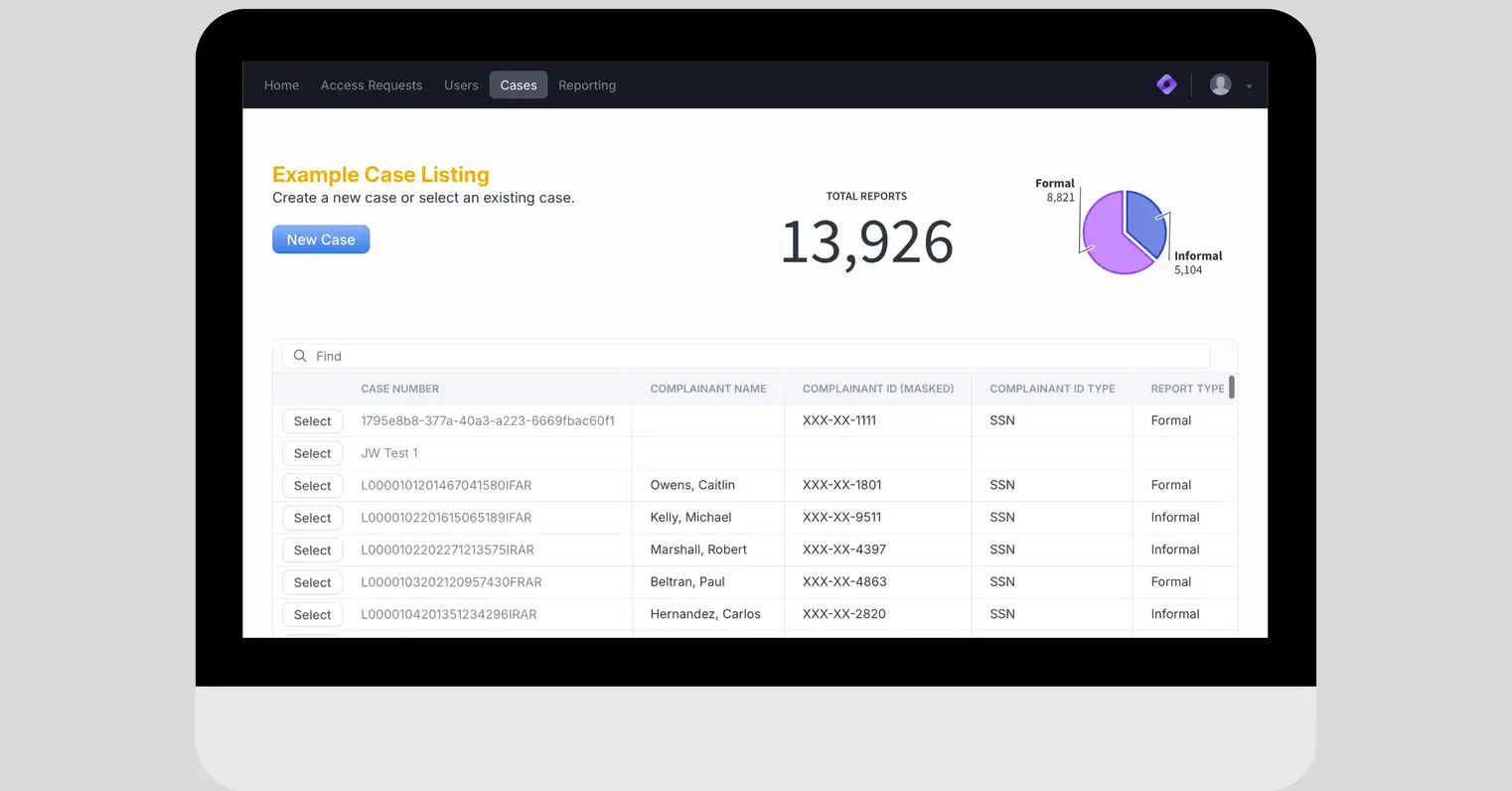
Compliance teams need incident tracking with complete audit trails, automated regulatory reporting, and secure document management — none of which spreadsheets can reliably provide. A governed system of record captures incidents at the point of occurrence, enforces required documentation, routes cases through defined review steps, and generates the audit-ready reports regulators expect. The result is a compliance team that spends its time on compliance work rather than data management.
Asset and Inventory Tracking
Operations, IT, Facilities
Physical asset lifecycle management — from procurement through maintenance to disposal — requires a single source of truth that tracks location, condition, and maintenance history in real time. Rather than cross-referencing three spreadsheets to understand an asset's status, teams see a complete record in one place. Automated reorder alerts and maintenance reminders replace the manual checking that spreadsheet-based systems require, and capital planning decisions get made on data leadership can actually trust.
Customer Service Portals
Support, Sales, Customer Success
Customer-facing request portals give submitters self-service access to submit requests, track status, and access relevant resources — without requiring internal staff to manually update them at every stage. The underlying data feeds directly into team dashboards and reporting, so support leadership can see volume trends, resolution times, and backlog at a glance rather than compiling that information from individual case files.
Field Data Collection
Operations, Sales, Field Teams
Mobile-first data capture with offline sync means field teams don't have to work around connectivity gaps — data captures photos, documents, and structured inputs in the field and syncs automatically when a connection is available. No more paper forms. No more after-the-fact data entry. No more gap between what happened in the field and what gets recorded at headquarters.
Approval Workflows
All Departments
Multi-step approval chains with automated notifications and escalation rules replace the email-based approval processes that create delays and leave no audit trail. Every approval decision is captured, timestamped, and reportable. When leadership asks how long approvals are taking or where requests are getting stuck, the answer is in a dashboard — not buried in someone's inbox.
How Spider Impact Apps Turn Critical Workflows Into Systems of Record
Spider Impact's Apps Functionality assembles forms, dashboards, and reports into standalone experiences with dedicated URLs that users can bookmark for direct access. Each App is its own curated interface — separate from the main Spider Impact application — purpose-built for a specific workflow or team.
This means you can deploy a project intake system with its own URL for the team submitting requests, a compliance tracker with a focused interface for the legal team, and a customer portal with an external-facing experience for submitters — all from the same platform, all connected to the same governed data layer. No siloed tools. No integration projects. No separate licensing.
Built for Business Users, Not Developers
Spider Impact Apps use a no-code builder that empowers operations leaders, compliance managers, HR teams, and department heads to build and maintain their own systems of record — without waiting on IT or writing a line of code.
- Advanced form logic handles validation and conditional fields. Automated workflows handle routing and notifications.
- Built-in dashboards and reports make the data immediately useful to the people who collected it and the leadership who needs to act on it.
This matters because the people who understand your workflows best aren't typically developers. The compliance manager knows exactly what fields need to be required on an incident form. The operations director knows which asset attributes matter for capital planning.
Putting the tools in their hands — rather than requiring them to specify requirements for an IT project — means the resulting system reflects operational reality instead of a developer's interpretation of it.
Data That's Immediately Available for Reporting
Every form submission feeds directly into Spider Impact dashboards and reports — no export required, no manual data transfer, no scheduled refresh. When an incident is logged, it appears in the compliance dashboard. When a project request is submitted, it updates the pipeline report. When an asset maintenance record is entered, it rolls into the facilities overview.
For organizations already using Spider Impact for strategy execution and performance reporting, Apps extend that same governed data layer to the operational workflows that feed strategic decisions.
Operational data and strategic performance data live in the same platform — which means the connection between daily execution and organizational goals isn't a manual calculation. It's automatic.
From Spreadsheet to Governed System in Days
Unlike custom software projects that take months and significant IT resources, Spider Impact Apps deploy quickly. Teams start with their highest-impact, lowest-complexity workflows — converting a critical spreadsheet into a governed App — and expand from there as confidence grows. The barrier to getting started is low. The barrier to scaling is lower still.
The financial case is well established. Workflow automation platforms can deliver 260% ROI with payback in less than 6 months, with net present values exceeding $1.8 million over three years. Planning and coordination tools consistently save 5%–12% of organizational work time — hours that currently go toward manual data management, status chasing, and report compilation.
Those productivity gains compound. When your compliance team isn't spending two days compiling a regulatory report, that time goes back to actual compliance work. When your operations team isn't reconciling three asset spreadsheets, that time goes back to managing operations. When project intake is structured and visible, leadership makes faster, better-informed resourcing decisions.
The value of a system of record isn't just the data it captures — it's the organizational capacity it frees up.
Choosing the Right Workflows to Systematize First
The most common mistake organizations make when moving from spreadsheets to systems of record is trying to do everything at once. A better approach is to identify two or three workflows where the pain is highest and the data currently lives in the most fragmented state, and start there.
Good candidates share a few characteristics. The workflow involves data that multiple people or teams need access to. The current state requires manual compilation for any kind of reporting. Errors or gaps in the data have real consequences — regulatory, financial, or operational. And the people closest to the workflow have been asking for a better system for a long time.
Once you've identified the starting point, the goal is a working system of record — not a perfect one. As Harvard Business Review emphasizes, organizations need progress over perfection: getting things 80% right fast, then iterating. A governed App that captures the right data and routes it correctly delivers more value than a perfectly designed system that's still six months from launch.
From there, expansion is straightforward. The platform and the governance model are already in place.
Each new workflow becomes another App — another system of record that feeds the same dashboards and reports, connects to the same strategic performance layer, and gives leadership one more area of operational visibility they didn't have before.
Ready to Replace Your Spreadsheets with a System of Record?
Your organization's critical data — incidents, assets, projects, compliance cases, field operations — deserves better than a shared drive and a hope that nothing's been overwritten.
No-Code Apps in Spider Impact give every department a governed, reportable, purpose-built system of record: structured data capture with validation, automated routing and approvals, real-time dashboards, and dedicated URLs your team can bookmark for direct access.
And because Apps is one feature within the broader Spider Impact platform — alongside scorecards, KPIs, strategy maps, and performance dashboards — every form submission and workflow update feeds directly into the strategic visibility your leadership depends on.
One platform to capture operational data, track performance, and manage your strategy from end to end.
The result is an organization where the gap between what's happening and what leadership can see is measured in seconds, not days. Where compliance documentation is always audit-ready. Where the question "what's the current status of X?" has an answer that doesn't require three phone calls to find.
Schedule a demo to see how Spider Impact converts your most critical spreadsheets into systems of record — and connects them to the strategy execution platform your organization needs to manage what matters most.
Related reading:
Frequently Asked Questions
What is a system of record and why is it important for unstructured workflows?
A system of record is a centralized platform that serves as the single source of truth for all workflow data and processes within an organization. For unstructured workflows—those critical processes that exist only in people's heads or personal spreadsheets—it's essential because it transforms invisible, undocumented operations into visible, manageable assets. This eliminates dangerous operational blind spots, prevents knowledge loss when employees leave, and enables leadership to make informed decisions based on real operational data rather than assumptions.
How can organizations identify which workflows need to be captured in a system of record?
Organizations should focus on high-impact, business-critical processes that currently rely on tribal knowledge, personal spreadsheets, or informal handoffs. These typically include customer onboarding, budget approvals, project tracking, service request management, compliance processes, and resource allocation workflows. Look for processes where employee departures create significant disruption, where departments struggle to communicate status to leadership, or where the same information gets requested repeatedly. Start with workflows that consume the most time or create the biggest bottlenecks when they break down.
What are the main benefits of implementing a centralized workflow system?
A centralized workflow system delivers multiple strategic advantages including elimination of data silos, real-time visibility into previously invisible processes, and transformation of operational chaos into actionable intelligence. Organizations typically see 260% ROI with payback in less than 6 months, while saving 5-12% of work time across the entire organization. Additional benefits include reduced operational risk, enhanced decision-making speed, improved business continuity planning, better strategic alignment between daily operations and organizational goals, and the ability to optimize processes based on actual data rather than assumptions.
How do no-code platforms help with workflow management implementation?
No-code platforms democratize workflow management by empowering subject matter experts—the people who understand workflows best—to create sophisticated applications without technical expertise or lengthy IT projects. These platforms enable teams to build production-ready tools in days rather than months, ensuring workflow solutions reflect operational reality rather than theoretical ideals. They support gradual formalization of informal processes without disrupting existing operations, allowing organizations to maintain familiar processes while introducing systematic data collection and visibility that drives measurable improvements.
What steps should organizations take to successfully transition from unstructured to structured workflows?
Organizations should start with high-impact, low-complexity initiatives that deliver immediate wins, typically by automating the most time-consuming manual processes first such as data collection and basic reporting. Focus on gradual formalization rather than disruptive overhaul, preserving operational continuity while building structured foundations. Begin by identifying and documenting critical workflows that currently exist only in employee knowledge, then implement centralized platforms that capture workflow information as it naturally occurs. Ensure the chosen solution maintains operational flexibility while providing leadership visibility, and prioritize workflows that directly support strategic objectives to demonstrate immediate value and build organizational buy-in.


Demo then Free Trial
Schedule a personalized tour of Spider Impact, then start your free 30-day trial with your data.