Meet Impact Assistant: Ask Questions, Get Answers, Inside Spider Impact
 Scott O'Reilly
May 26, 2026
Scott O'Reilly
May 26, 2026

Impact Assistant is Spider Impact's built-in AI — and it does three things that change how your team interacts with your strategy and performance data.
See It in Action
What Impact Assistant Does
1. Queries Your Data in Plain Language
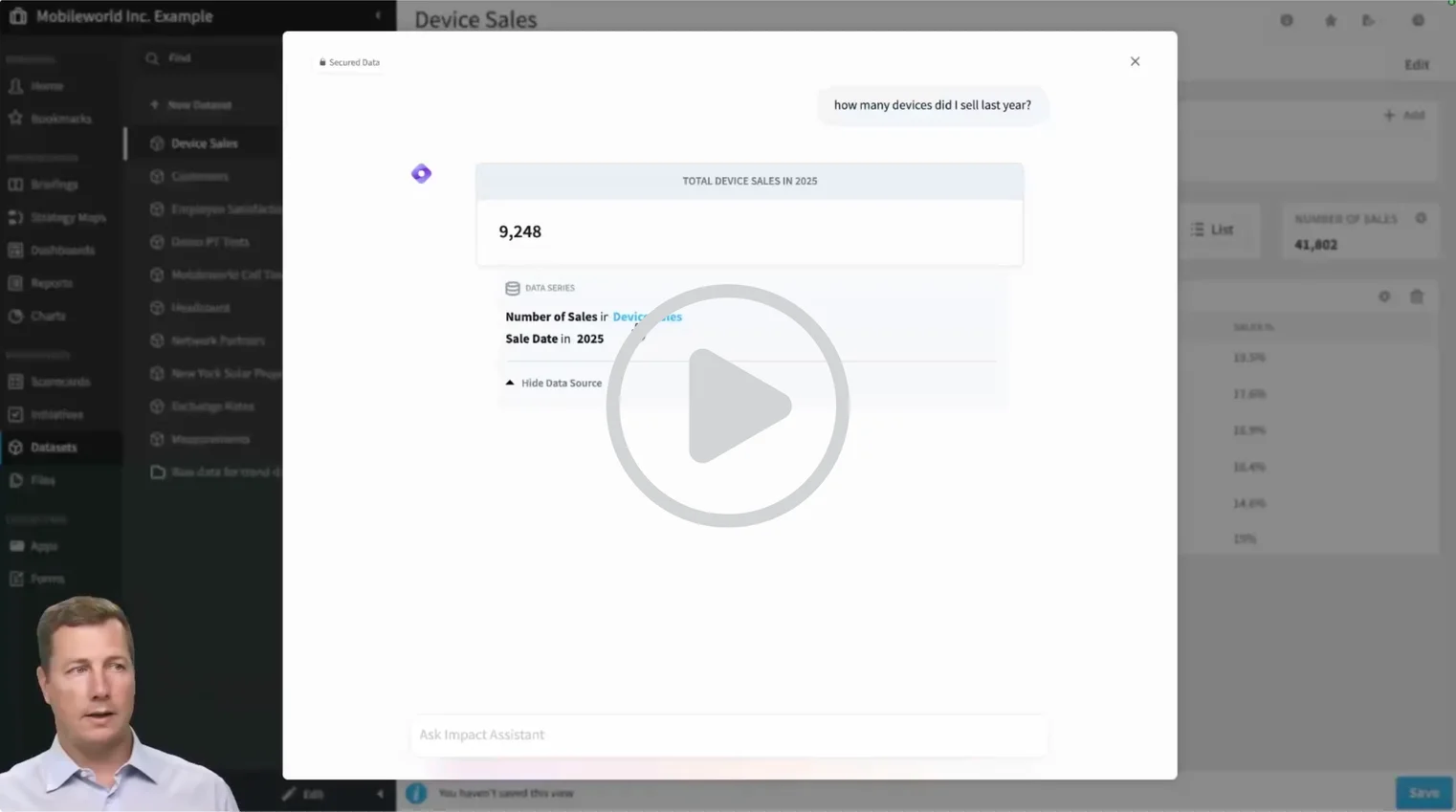
Ask questions about your data the way you'd ask a colleague — and Impact Assistant turns them into real dataset queries, respecting the permissions you already have.
Try questions like:
- "How many devices did I sell last year?"
- "Break this down by month."
- "Show me the top five performers by region."
Impact Assistant generates line charts, bar charts, pie charts, and single-value answers based on what you ask. It follows the conversation, so you can iterate — "now show me just Q3" — without restating the whole question each time. Charts can be saved to your organization with one click.
2. Surfaces Insights Automatically
Not sure where to start? Ask Impact Assistant what's worth exploring.
Try: "What interesting insights can I find in my device sales data?"
Impact Assistant suggests breakdowns and visualizations worth exploring — a natural starting point for ad hoc analysis when you're not sure what question to ask yet.
3. Answers How-To Questions About Spider Impact
Impact Assistant has Spider Impact's entire support documentation built in. Instead of searching the knowledge base or waiting on support, just ask.
- "How do I share a form publicly?"
- "Where do I update admin settings for this report?"
- "How do I add a new KPI?"
Impact Assistant walks you through the steps, points you to the relevant settings, and links directly to the full support article — all without leaving the platform.
Built Into Spider Impact
Impact Assistant lives inside Spider Impact — no separate tool, no switching tabs. It connects directly to your data, your permissions, and your support documentation, so every answer is grounded in your actual environment.
It's part of Spider Impact's broader AI automated insights capabilities — built to help teams spend less time searching and more time acting on what they find.
Curious about how it's built? Take a look at the AI architecture behind Spider Impact.
Try It Yourself
Impact Assistant is available inside Spider Impact — and the best way to get a feel for it is to see it in action or try it with your own data.
▶ Watch the demo in under 5 minutes to see Impact Assistant handle real questions, generate charts, and surface insights in under a few minutes.
Ready to explore it yourself? Start your free trial — or schedule a 1:1 demo if you'd like a guided walkthrough first.
Frequently Asked Questions
What is Impact Assistant?
Impact Assistant is Spider Impact's built-in AI assistant. It lets users query datasets in plain language, surface insights automatically, and get instant answers to how-to questions about the software — all without leaving the platform.
What data can Impact Assistant access?
Impact Assistant currently works with datasets inside Spider Impact. It respects the permissions you already have, so users only see data they're authorized to access.
Do I need technical skills to use Impact Assistant?
No. Impact Assistant is designed for plain language questions — no SQL, no technical formatting required. Just ask the way you'd ask a colleague.


Demo then Free Trial
Schedule a personalized tour of Spider Impact, then start your free 30-day trial with your data.